

Make sure you do this before updating your DNS servers to point to Truepath or you may experience mail loss!
From professional business to enterprise, we’ve got you covered!
Make sure you do this before updating your DNS servers to point to Truepath or you may experience mail loss!
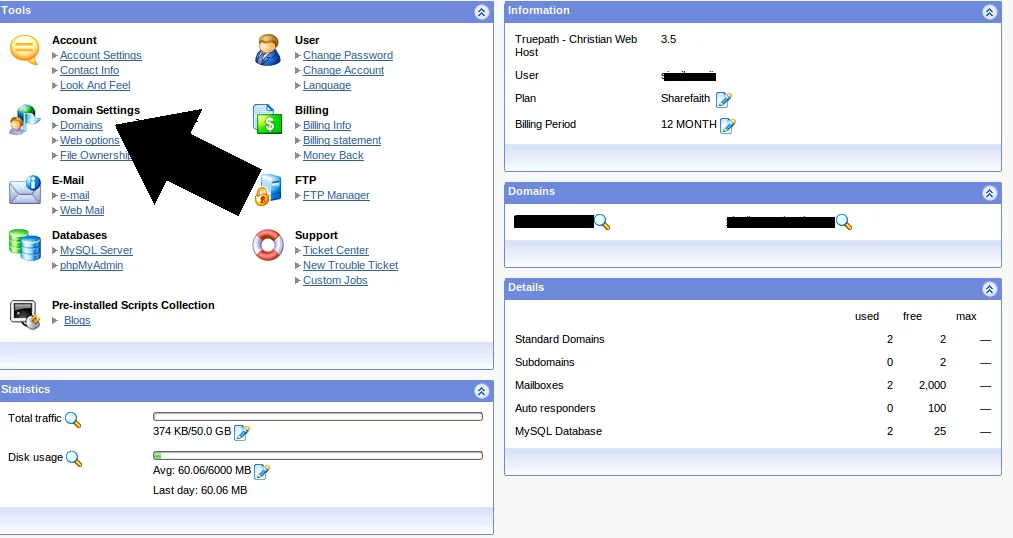
From your Truepath Control Panel (accessed from clicking ‘Login’ at the top-right corner of this screen, select ‘Domains’
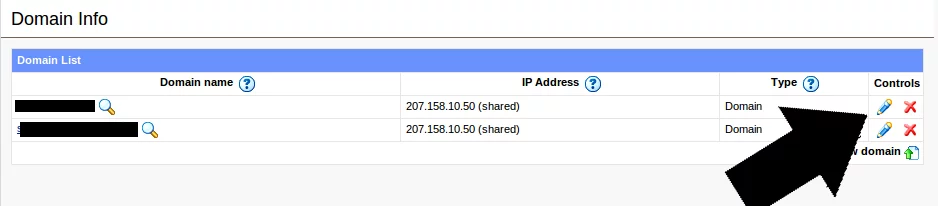
Select the domain at which the Google Apps email is located by clicking the pencil icon to the left of the red X (for example would require you to edit exampledomain.com)
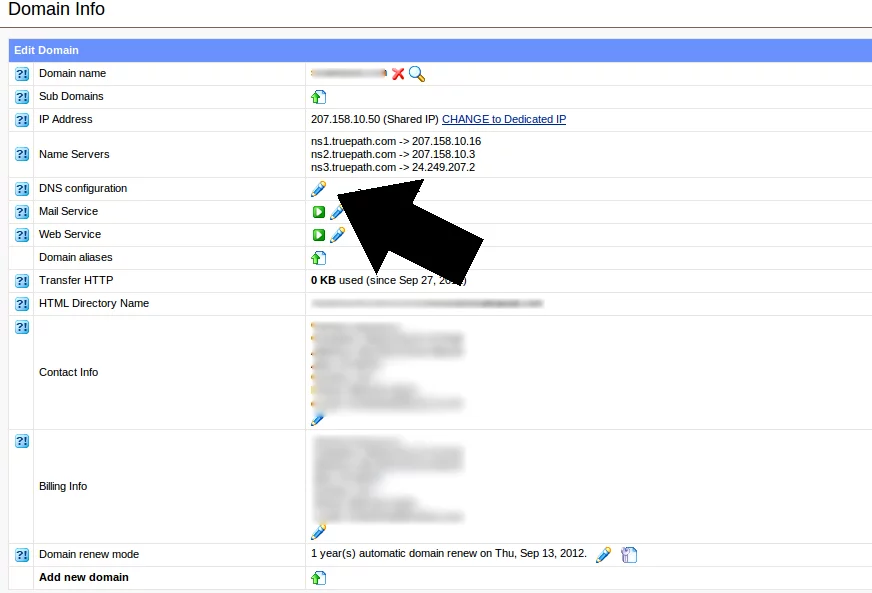
Once under the ‘Domain Info’ screen, click the pencil next to ‘DNS configuration’ to edit the DNS settings of this domain.
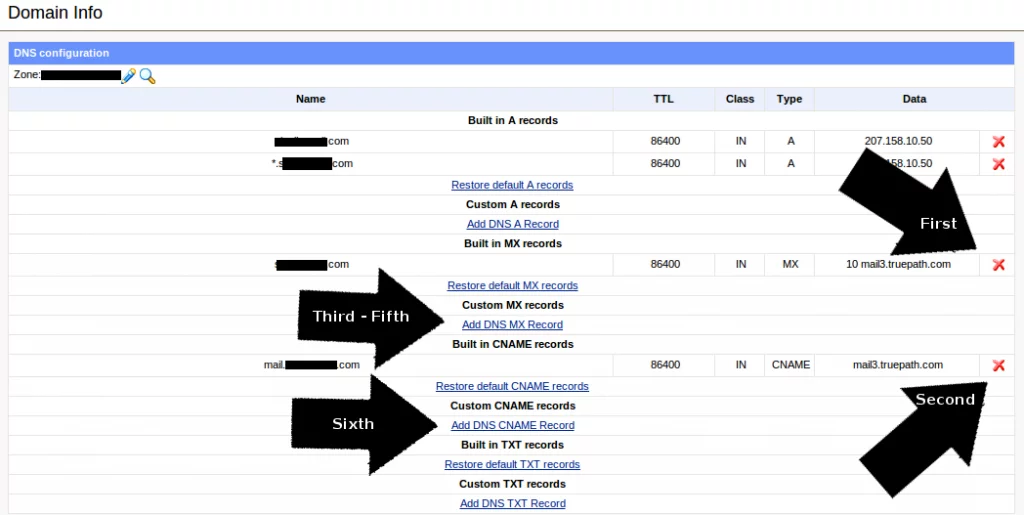
You will see a breakdown of all the relevant DNS values.
Delete the default MX record and default CNAME record by clicking the red X next to them (refer to the arrows marked with First and Second)
Then, click ‘Add DNS MX Record,’ you will need to repeat this step three times with each of the required MX values
(click the link next to the arrow marked ‘Third – Fifth’)
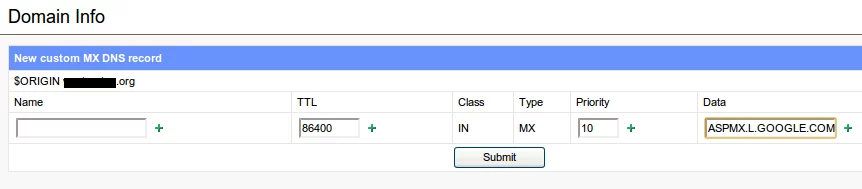
The first MX record you will need to add is:
ASPMX.L.GOOGLE.COM
Leave the Name field blank, the TTL field at the default value, and make the priority 10 (refer to the screenshot if you are confused)
The second MX record you will need to add is:
ALT1.ASPMX.L.GOOGLE.COM
Leave the Name field blank, the TTL field at the default value, and make the priority 15
The third MX record you will need to add is:
ALT2.ASPMX.L.GOOGLE.COM
Leave the Name field blank, the TTL field at the default value, and make the priority 20
You are now done with the MX record configuration, check the screenshot at the bottom of this page to make sure that yours matches exactly.

Now you will need to add the CNAME record. There is only one. Select ‘Add DNS CNAME record.’
Enter ‘mail’ in the name field (without the quotes), leave the TTL at default, and under Data, enter
ghs.google.com
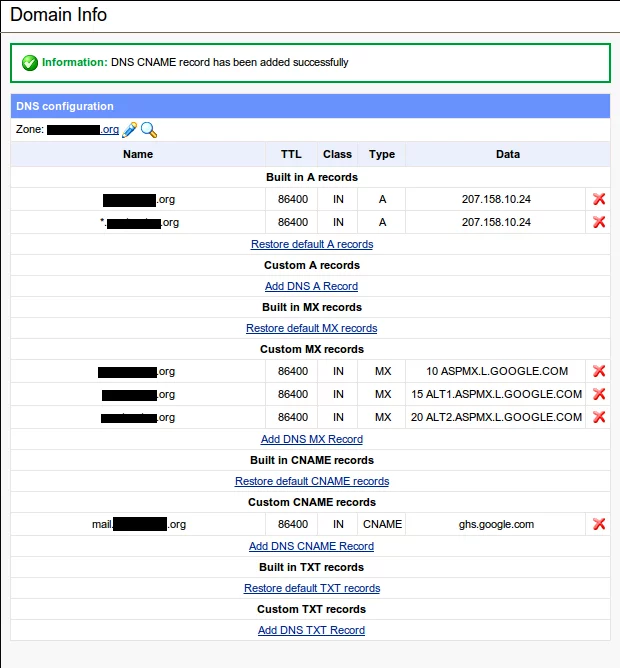
Check to make sure your DNS settings page matches the example below.
You’re done! Wait for the DNS propagation to take effect
(this sometimes takes up to a day, but is usually finished within 4 – 6 hours), then you will be able to access your mail at
http://mail.your-domain-here.com with ‘your-domain-here’ replaced with your actual domain.
From professional business to enterprise, we’ve got you covered!