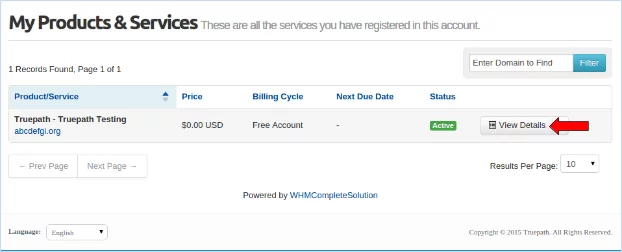
To access cPanel, first you have to login to your WHMCS account.
From the account overview page click the “Services” menu and navigate to “ My Service”.
This will take you to the Products and Services page.
Click the “View Details” button.
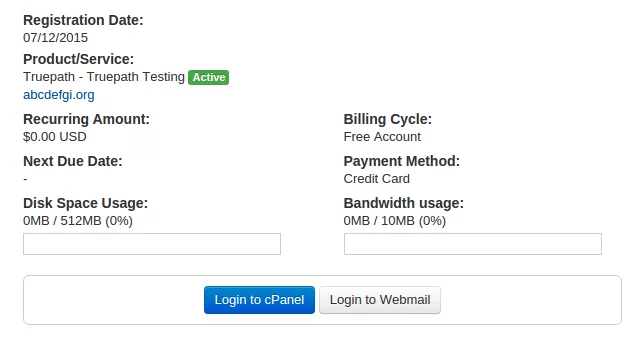
This will launch you into an overview of the products and services that have been added to your account.
Click the “Login to cPanel button”.
This will open another browser tab with your cPanel account.
This website uses cookies so that we can provide you with the best user experience possible. Cookie information is stored in your browser and performs functions such as recognising you when you return to our website and helping our team to understand which sections of the website you find most interesting and useful.
Strictly Necessary Cookie should be enabled at all times so that we can save your preferences for cookie settings.
If you disable this cookie, we will not be able to save your preferences. This means that every time you visit this website you will need to enable or disable cookies again.